
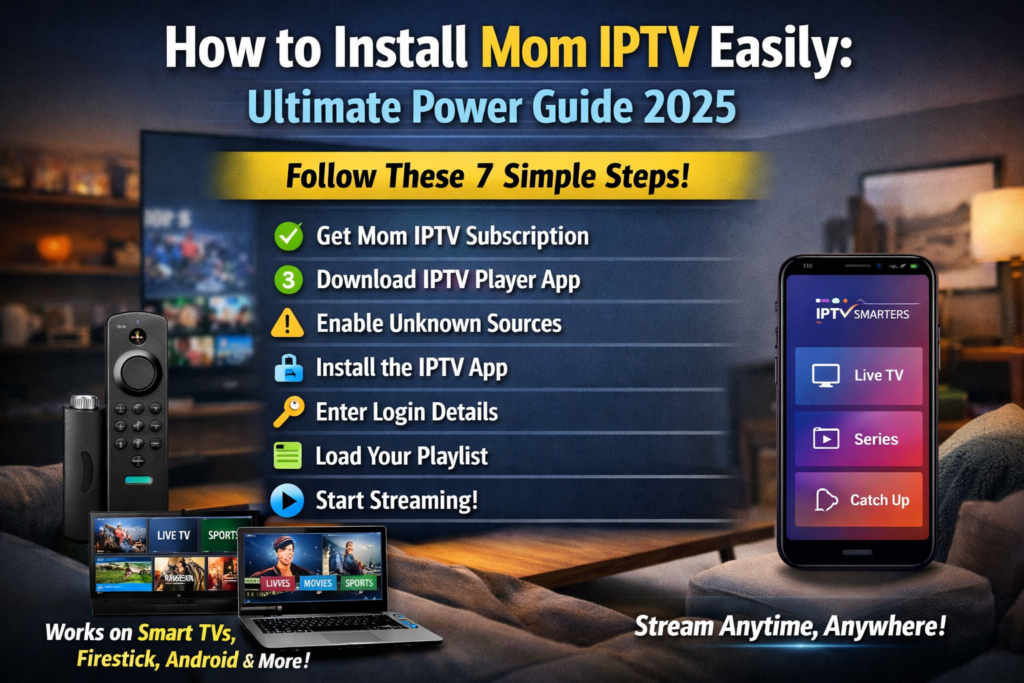
How to install Mom IPTV step by step on Smart TVs, Android, Firestick, and more. Learn setup, troubleshooting, and tips in this complete Mom IPTV guide.
What Is Mom IPTV and How Does It Work
Mom IPTV is an Internet Protocol Television service that delivers live TV channels, movies, series, and on-demand content using an internet connection instead of traditional cable or satellite signals. Instead of relying on antennas or dish installations, Mom IPTV streams content directly to your device using IPTV apps.
When learning how to install Mom IPTV, it’s important to understand that the service itself does not come with a built-in app. Instead, you use third-party IPTV players and connect them using login credentials such as M3U URLs or Xtream Codes provided after subscription.
In simple terms, Mom IPTV works like this:
- You subscribe to Mom IPTV
- You receive login details
- You install an IPTV player
- You stream content via the internet
This flexibility is one reason IPTV services are growing so fast worldwide.
Why Choose Mom IPTV Over Traditional TV
There’s no shortage of IPTV providers, but Mom IPTV stands out for several practical reasons. Compared to cable TV, it’s more flexible, often more affordable, and packed with features modern users actually want.
Key advantages include:
- Access to thousands of live channels
- Movies and series on demand
- Support for multiple devices
- No long-term contracts
- International and premium sports content
Unlike cable, you’re not tied down. You can watch from anywhere, switch devices easily, and enjoy HD or even 4K streaming if your internet supports it. That’s why searches for how to install Mom IPTV keep climbing.
Devices Compatible With Mom IPTV
One of the biggest benefits of Mom IPTV is device compatibility. You’re not locked into one ecosystem, which is great news.
Mom IPTV works on:
- Android phones and tablets
- Android TV & TV boxes
- Amazon Firestick & Fire TV
- Smart TVs (Samsung, LG)
- Windows PCs
- macOS devices
- MAG boxes and IPTV receivers
As long as your device supports an IPTV player and has a stable internet connection, you’re good to go.
Things You Need Before Installing Mom IPTV
Before jumping into the installation process, let’s make sure you’ve got everything ready. Preparation saves time and avoids frustration later.
You’ll need:
- An active Mom IPTV subscription
- Stable internet connection (minimum 10 Mbps recommended)
- Compatible device
- IPTV player app (like IPTV Smarters or TiviMate)
- Login credentials (M3U URL or Xtream Codes)
Once these are in place, installing Mom IPTV becomes straightforward.
How to Install Mom IPTV on Android Devices
Installing on Android Phones & Tablets
Android devices are among the easiest platforms for IPTV. Here’s how to install Mom IPTV on Android:
- Open Google Play Store
- Search for IPTV Smarters, XCIPTV, or TiviMate
- Install the app
- Open the app and choose login method
- Enter Mom IPTV credentials
- Click “Login” and wait for content to load
That’s it. In just a few minutes, you’ll have full access to live TV and VOD.
Installing on Android TV Boxes
The steps are nearly identical:
- Install an IPTV player from Play Store
- Launch the app
- Add Mom IPTV credentials
- Load channels
Android TV boxes are especially popular because they offer smooth playback and remote control navigation.
How to Install Mom IPTV on Amazon Firestick
Firestick is one of the most popular streaming devices, but installation takes a few extra steps.
Enabling Apps From Unknown Sources
- Go to Settings > My Fire TV
- Click Developer Options
- Enable Apps from Unknown Sources
Installing IPTV Player for Mom IPTV
- Install the Downloader app from Amazon Store
- Open Downloader and enter the IPTV player APK URL
- Install the app
- Open IPTV player
- Enter Mom IPTV login details
Once completed, you’ll enjoy smooth IPTV streaming directly on your TV.
How to Install Mom IPTV on Smart TVs
Samsung & LG Smart TVs
Most Smart TVs don’t allow direct APK installation. Instead, you use apps available in the TV app store.
Recommended apps:
- Smart IPTV
- SET IPTV
- NET IPTV
Steps:
- Install IPTV app from TV store
- Note the MAC address
- Upload Mom IPTV playlist via app website
- Restart the app
Using External IPTV Apps
Alternatively, you can connect an Android box or Firestick to your Smart TV for more features and flexibility.
How to Install Mom IPTV on Windows & Mac
For computers, IPTV software works great.
Steps:
- Download VLC Media Player or IPTV Smarters for PC
- Open the app
- Add network stream or login details
- Load playlist
VLC is free and reliable. You can download it from the official website:
👉 https://www.videolan.org
How to Configure Mom IPTV Playlist (M3U & Xtream Codes)
Mom IPTV supports two common login methods:
M3U URL
- Simple playlist link
- Easy to import
- Works on most players
Xtream Codes
- Username
- Password
- Server URL
Xtream Codes are preferred because they load faster and organize content better.
Common Mom IPTV Installation Problems and Fixes
Even with correct steps, issues can happen. Here are common problems and solutions:
| Problem | Solution |
|---|---|
| Buffering | Check internet speed or use VPN |
| App crashing | Update IPTV app |
| No channels | Verify login details |
| Black screen | Restart device |
| EPG not loading | Refresh playlist |
Knowing how to install Mom IPTV properly reduces most of these problems.
Security, VPNs, and Legal Considerations
Using a VPN is highly recommended when streaming IPTV. It helps:
- Protect privacy
- Prevent ISP throttling
- Secure your connection
Always choose a reputable VPN provider and comply with local regulations.
Tips to Get the Best Streaming Experience
To enjoy Mom IPTV without hiccups:
- Use wired internet when possible
- Close background apps
- Choose reliable IPTV players
- Keep apps updated
- Restart router weekly
These small steps make a big difference.
Frequently Asked Questions (FAQs)
1. Is Mom IPTV easy to install?
Yes, once you follow the correct steps, installation takes only a few minutes.
2. Can I install Mom IPTV on multiple devices?
Yes, but it depends on your subscription plan.
3. Do I need a VPN for Mom IPTV?
While not mandatory, a VPN is strongly recommended.
4. What internet speed is best for Mom IPTV?
At least 10 Mbps for HD and 25 Mbps for 4K streaming.
5. Which IPTV player is best for Mom IPTV?
IPTV Smarters and TiviMate are top choices.
6. Why is Mom IPTV buffering?
Buffering usually happens due to slow internet or overloaded servers.
Conclusion
Learning how to install Mom IPTV doesn’t have to be complicated. With the right device, a good IPTV player, and correct login details, you can enjoy thousands of channels and on-demand content anytime, anywhere.
Mom IPTV offers flexibility, variety, and convenience that traditional TV simply can’t match. Follow this guide step by step, and you’ll be streaming like a pro in no time.