
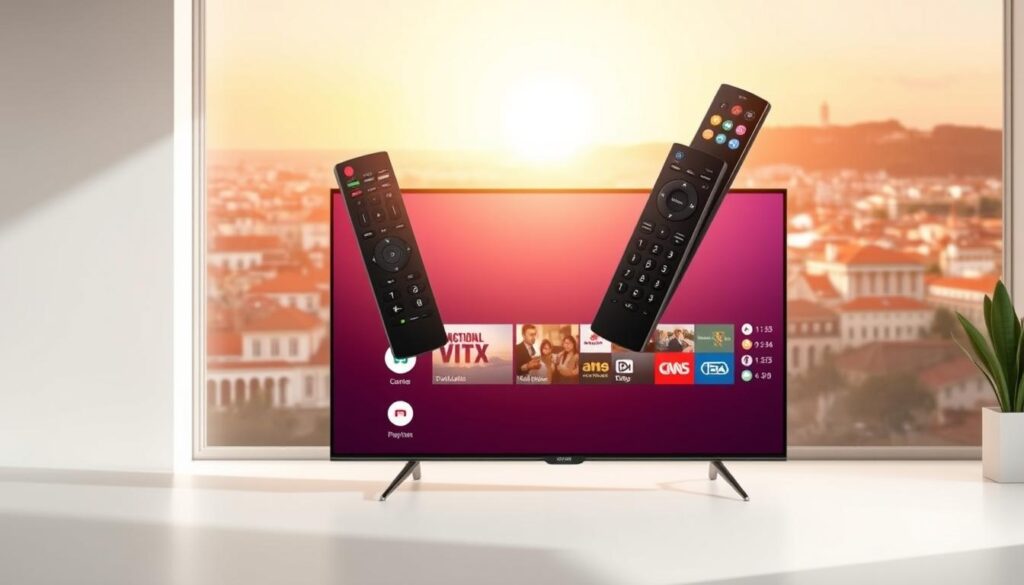
An IPTV box is a digital device that streams television content through an internet connection. Unlike traditional broadcasting, which depends on satellite or cable signals, an IPTV box uses IP-based networks to deliver content directly to your screen. This allows real-time streaming, video-on-demand, and catch-up TV with minimal delay.
The IPTV box converts internet data into visual content your television can display. This means you can enjoy thousands of channels, international programming, and premium shows without the complexity of traditional setups.
How IPTV Boxes Differ from Traditional Cable
Traditional cable TV ties you to fixed programming schedules and limited channels. An IPTV box, on the other hand, offers flexibility. You can pause, rewind, or replay your favorite shows whenever you want. Plus, you’re not locked into expensive long-term contracts.
With an IPTV box, viewers gain more control and more options. It’s entertainment on your terms, which is why so many households are making the switch.
Key Components Inside an IPTV Box
An IPTV box contains essential hardware like a processor, RAM, storage, and network interface. It runs specialized software that manages streaming services, user interfaces, and content delivery. These components work together to provide smooth playback, crisp visuals, and reliable performance.
How an IPTV Box Works: Technology Explained Simply
IPTV Protocols and Streaming Mechanics
An IPTV box uses internet protocols to deliver content. Instead of broadcasting signals, it sends data packets over your broadband connection. This ensures smoother streaming and faster access to content libraries.
Streaming happens in real-time, meaning your IPTV box fetches and displays content as you watch. This system makes it highly efficient and responsive.
Internet Requirements and Bandwidth Needs
For optimal performance, an IPTV box requires a stable internet connection. A minimum speed of 10 Mbps is recommended for HD streaming, while 25 Mbps or more ensures 4K quality. A strong connection prevents buffering and lag.
Hardware vs Software IPTV Box Systems
Some IPTV box models focus on hardware-driven performance, while others rely heavily on software capabilities. Both options can be effective, but advanced hardware tends to provide smoother user experiences and longer device lifespans.
Benefits of Using an IPTV Box for Everyday Viewers
Cost Efficiency and Content Variety
An IPTV box is budget-friendly. Instead of paying high monthly fees for cable, users can access affordable subscription packages. This gives access to thousands of channels and diverse content genres.
Customization and User Control
You can personalize your viewing experience with an IPTV box. Customize channel lists, create watchlists, and set parental controls. It’s simple, flexible, and user-focused.
Picture Quality and Stability
Modern IPTV box models support HD and 4K streaming. This ensures crystal-clear visuals and immersive experiences. Stability also improves with advanced buffering and compression technologies.
Choosing the Right IPTV Box: Buyer’s Guide
Features to Look For
When selecting an IPTV box, focus on processing power, storage capacity, resolution support, and user interface. A good IPTV box should support multiple formats and fast navigation.
Compatibility and Performance Factors
Ensure your IPTV box is compatible with your TV, internet provider, and preferred apps. Performance matters, so go for models with positive reviews and proven reliability.
Common Mistakes to Avoid
Avoid cheap, low-quality devices. They may compromise performance and security. Always choose trusted brands and verified sellers.
IPTV Box Setup and Optimization Tips
Step-by-Step Installation
- Connect your IPTV box to your TV via HDMI.
- Plug it into a power source.
- Connect to Wi-Fi or Ethernet.
- Install IPTV applications.
- Log in and start streaming.
Performance Tweaks
Update firmware regularly. Use high-speed internet and clear cache frequently. This improves speed and reduces buffering.
Troubleshooting Common Issues
Reboot your IPTV box if it freezes. Check internet speed and restart the modem if needed. Most problems can be fixed quickly.
Safety, Legality, and Best Practices
Legal Considerations
Always ensure your IPTV box service is licensed. Using unauthorized streams can lead to legal trouble.
Security Tips
Install antivirus software and avoid suspicious links. Protect your IPTV box with strong passwords.
Ethical Streaming Guidelines
Support content creators by subscribing to legitimate services. Ethical streaming keeps the ecosystem healthy.
Frequently Asked Questions (FAQs)
1. What is an IPTV box used for?
An IPTV box streams TV content via the internet, offering flexible viewing options.
2. Is an IPTV box legal?
Yes, when used with licensed providers.
3. Do I need fast internet for an IPTV box?
Yes, stable internet ensures smooth streaming.
4. Can an IPTV box replace cable TV?
Absolutely. It offers more control and better value.
5. How long does an IPTV box last?
With proper care, it can last several years.
6. Is an IPTV box easy to use?
Yes, most models feature user-friendly interfaces.
For more technical background, visit this authoritative resource: https://en.wikipedia.org/wiki/Internet_Protocol_television
Conclusion and Final Thoughts
The IPTV box stands as a revolutionary tool in modern entertainment. It combines flexibility, affordability, and superior technology into one compact device. By choosing the right IPTV box and following best practices, users can unlock a world of limitless content and seamless streaming experiences.